
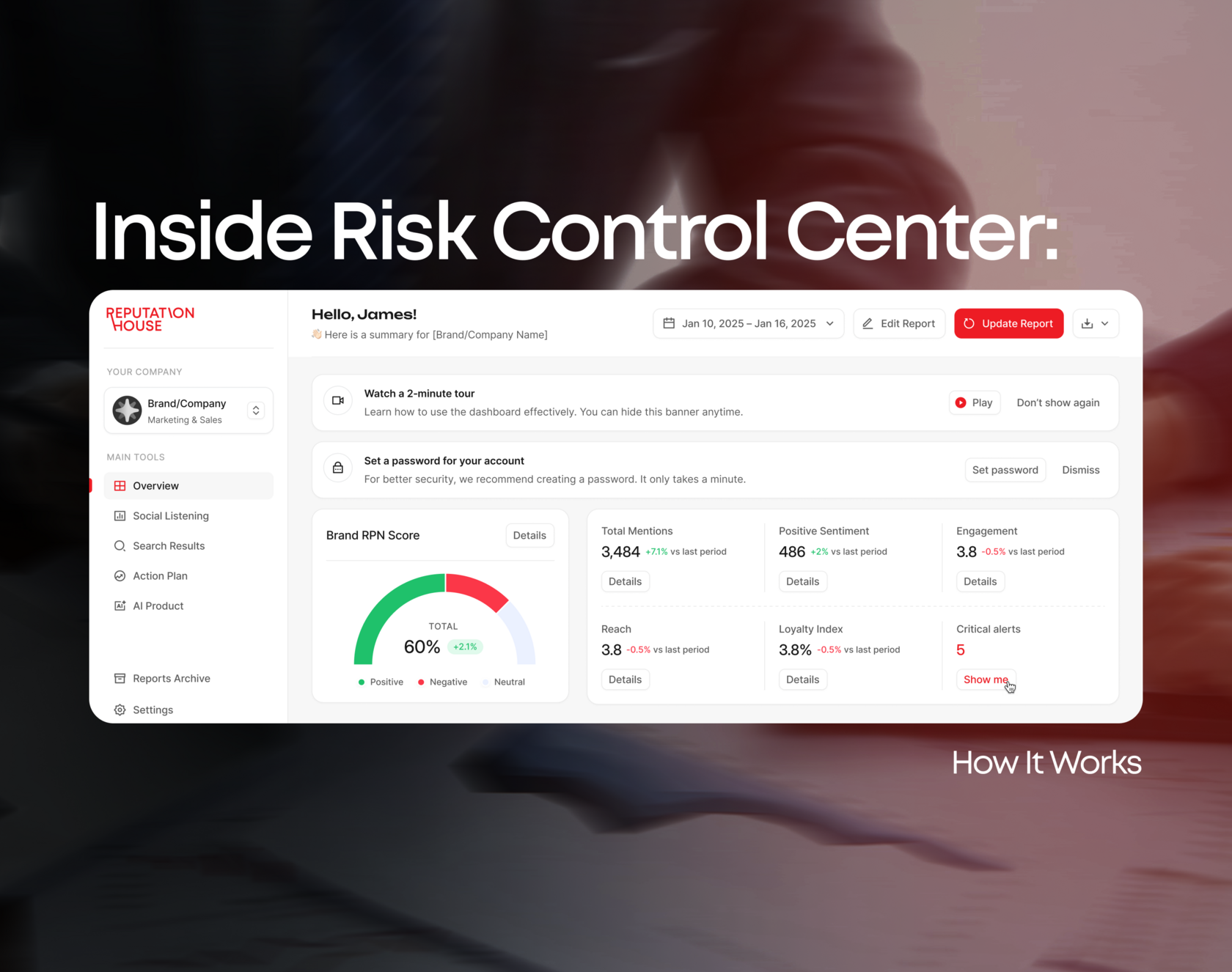
Risk Control Center is designed as a unified platform for tracking, analyzing, and managing your digital presence. Instead of working with separate tools, you get a structured environment where all key signals like mentions and search results are connected and actionable.
In this guide, we will walk you through the platform step by step and explain how to use each section effectively.
Step 1: Get to Know Risk Control Center
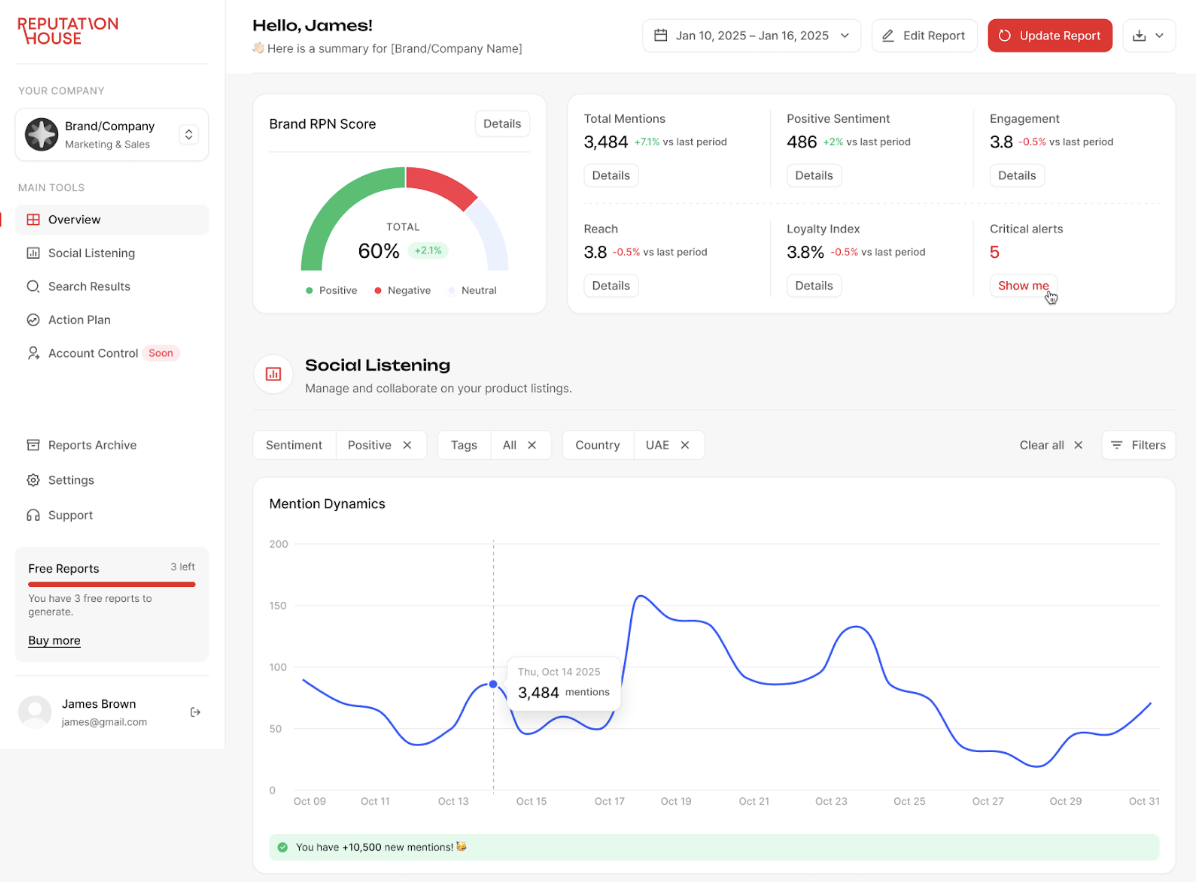
When you enter the platform, you work within a project-based structure. Each project represents a brand or entity you want to track. You can manage multiple projects within a single account.
The main navigation includes several core sections: Overview, Social Listening, Search Results, Action Plan, Reports and. Each of these sections corresponds to a specific layer of your digital presence and helps you move from analysis to action.
Start with the Overview tab, as it provides a complete snapshot of your current digital environment.
The main navigation includes several core sections: Overview, Social Listening, Search Results, Action Plan, Reports and. Each of these sections corresponds to a specific layer of your digital presence and helps you move from analysis to action.
Start with the Overview tab, as it provides a complete snapshot of your current digital environment.
Step 2: See Your Current Situation
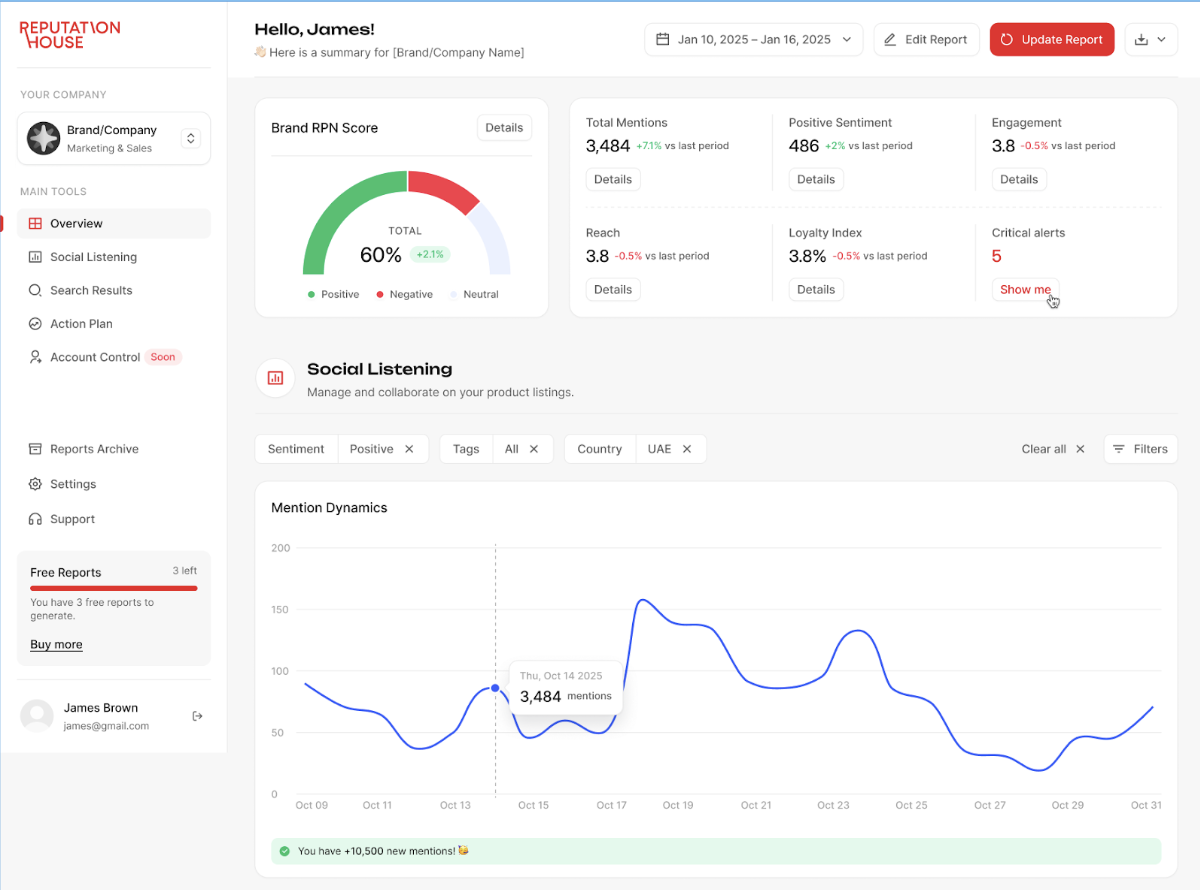
The Overview tab is your starting point. It gives you a high-level understanding of how your brand is represented online.
At the center of this section is the RPN Score, a proprietary metric that combines reviews (Positive, Negative and the Rest of them) signals into a single indicator. This score is built from search results, search suggestions, and mentions, allowing you to quickly understand the balance of your digital presence.
At the center of this section is the RPN Score, a proprietary metric that combines reviews (Positive, Negative and the Rest of them) signals into a single indicator. This score is built from search results, search suggestions, and mentions, allowing you to quickly understand the balance of your digital presence.
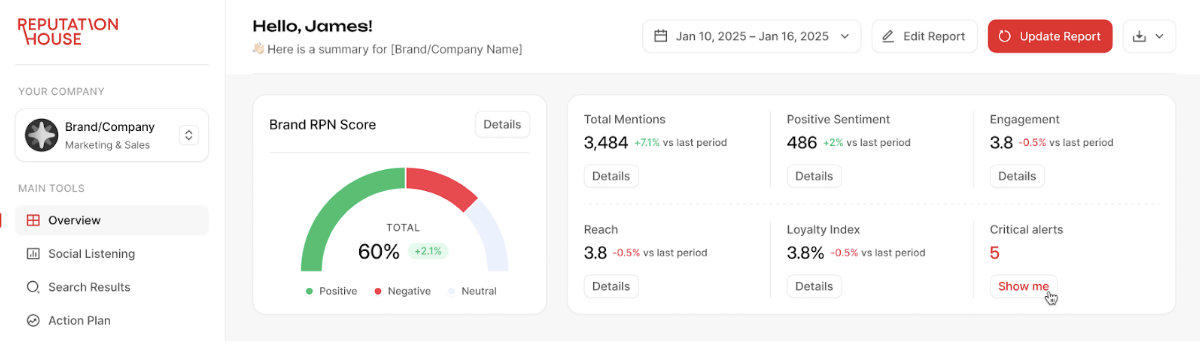
Alongside the score, you can see key metrics such as total mentions, positive mentions, reach, engagement, and loyalty index. One of the most important elements here is Critical Alerts — mentions that may require your attention. They indicate areas where action might be needed.
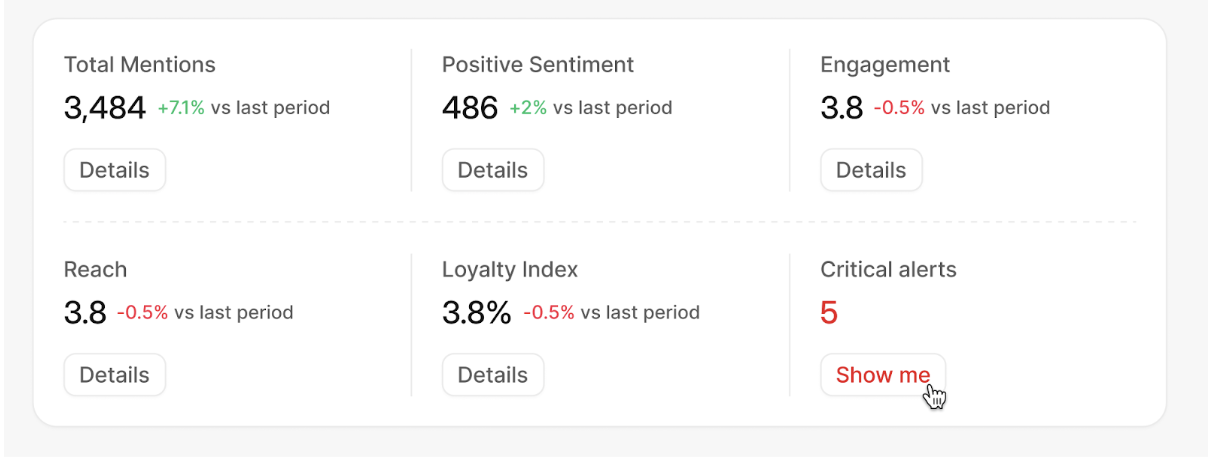
Here, you will get the answer to a simple question: Where does my brand stand right now?
Step 3: Analyze Mentions and Trends
The next layer you will be checking is Social Listening analytics. This tool can help understand who, when, where and what the online audience is talking about your brand.
Here, you can access the full list of recorded mentions, open each source directly, and review the context of every discussion. You also have the ability to manually adjust sentiment if needed.
Here, you can access the full list of recorded mentions, open each source directly, and review the context of every discussion. You also have the ability to manually adjust sentiment if needed.
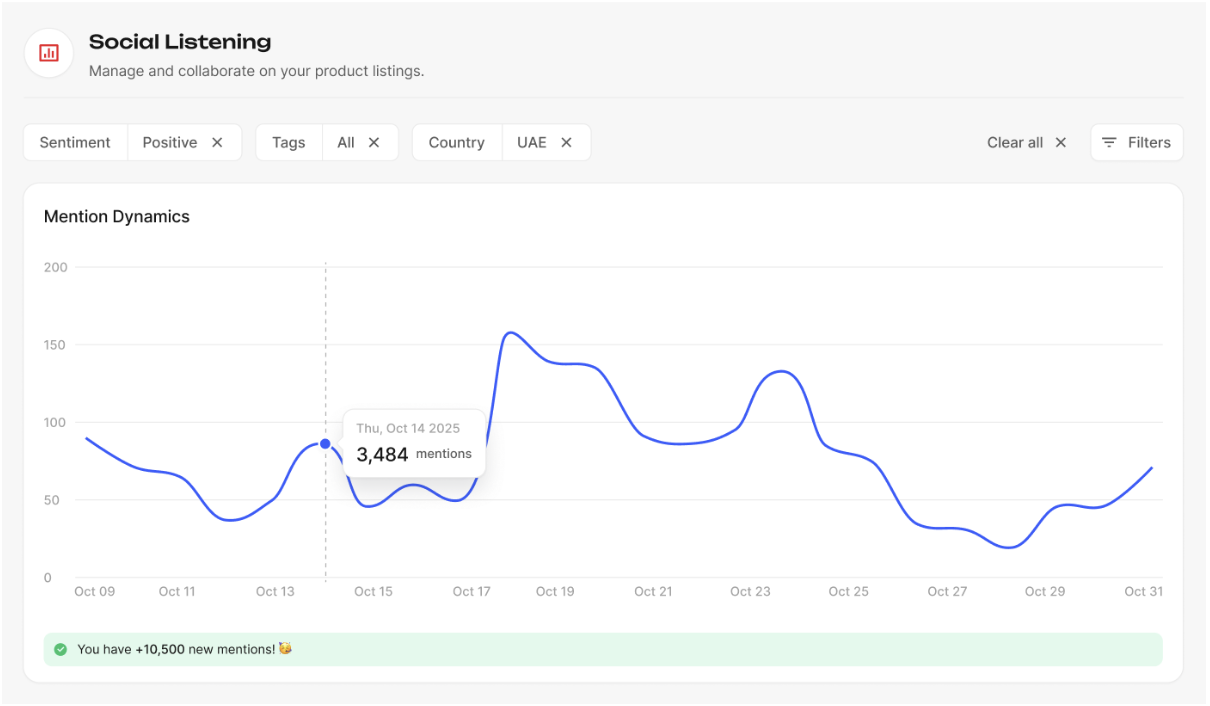
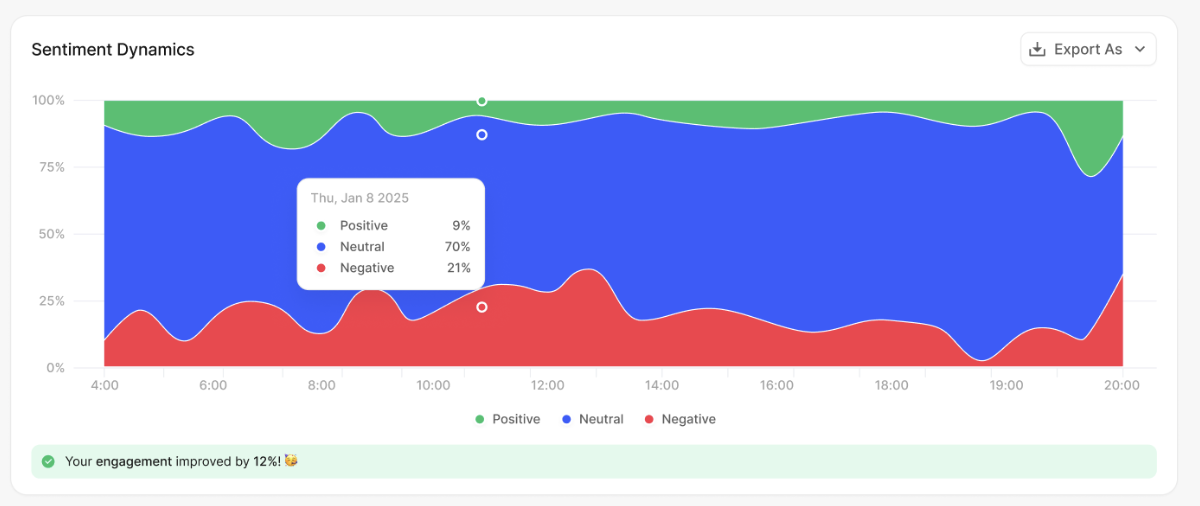
Here, you can track mention dynamics over time and identify spikes in activity, which often indicate events, campaigns, or potential issues. You can also analyze sentiment dynamics, seeing how positive, neutral, and negative mentions evolve across specific dates.
If something requires attention, the platform highlights it through Critical Alerts, and you can immediately initiate action using the “Fix My Reputation” function.
If something requires attention, the platform highlights it through Critical Alerts, and you can immediately initiate action using the “Fix My Reputation” function.

To make the analysis more precise, you can apply filters by sentiment, content type, source, tags, language, or geography. This allows you to focus only on the data that matters for your specific business tasks.
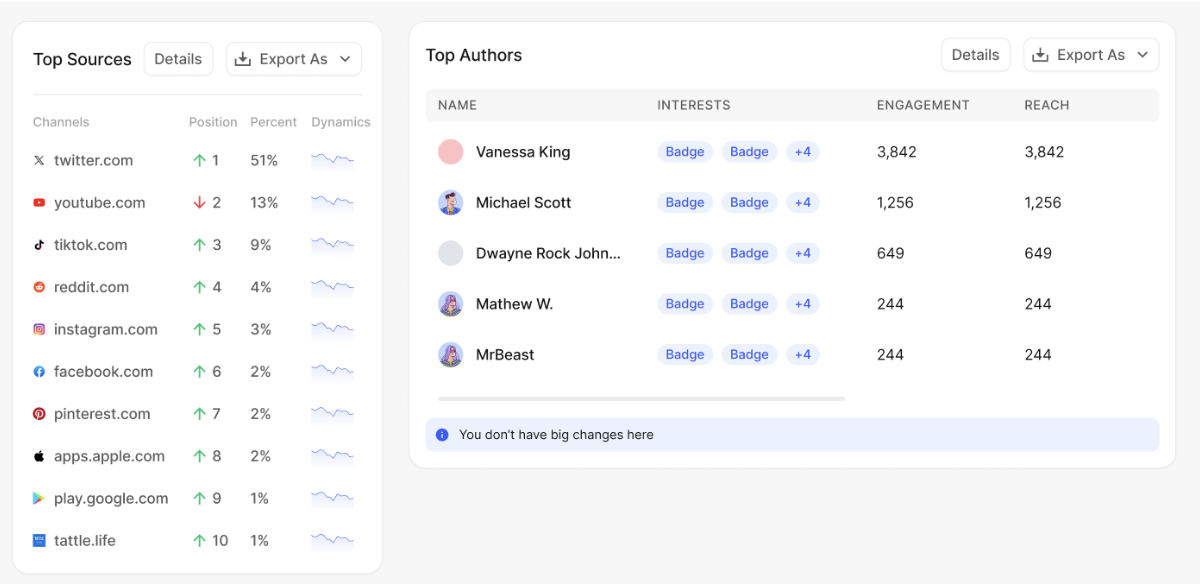
Additional layers provide deeper insights. You can identify top authors driving discussions, analyze top sources where your brand is most actively mentioned, and explore geographic distribution through an interactive map.
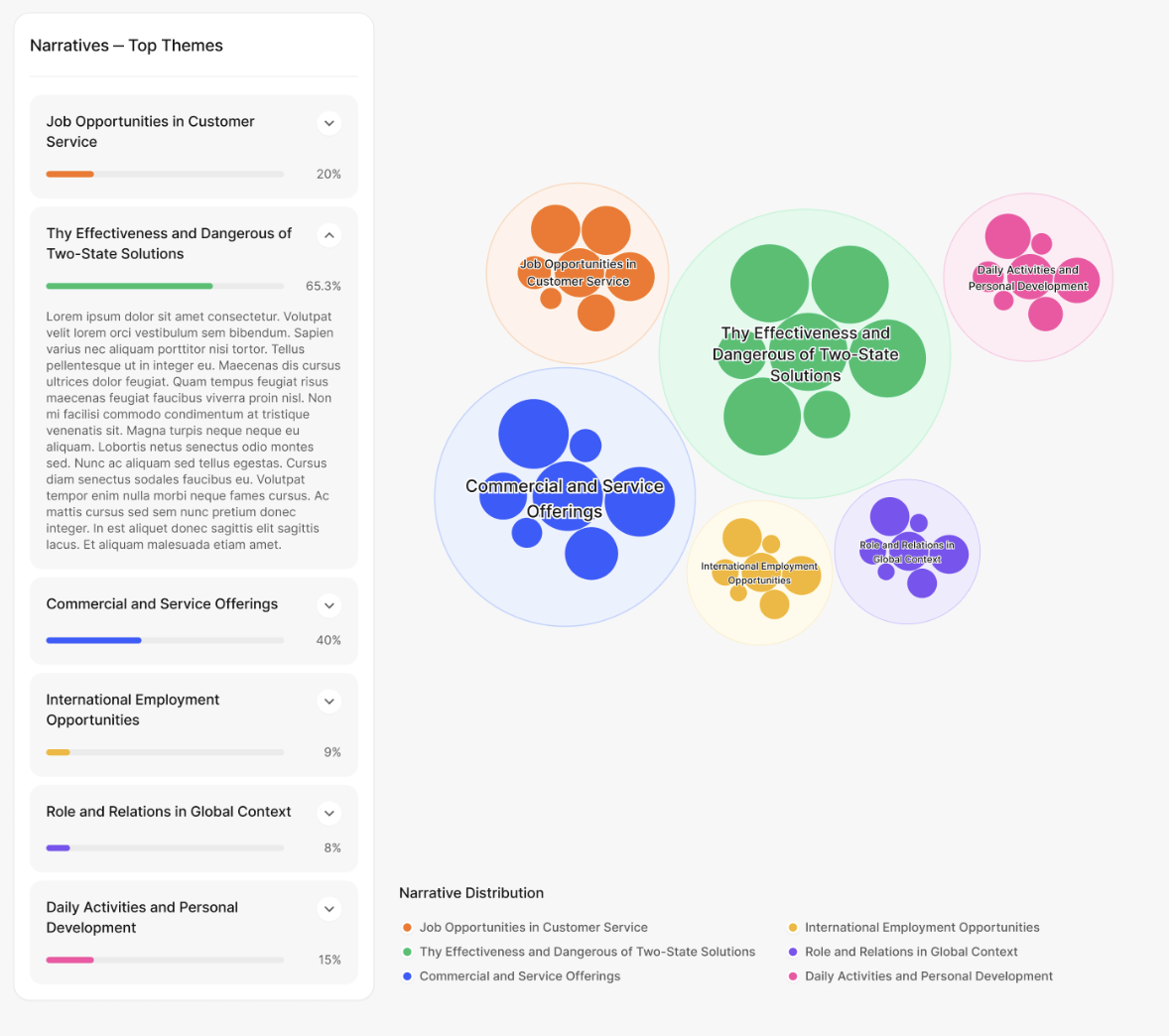
The platform also allows you to analyze sentiment by topics and track narratives, helping you understand not just what is being said, but in which context your brand is perceived.
Additional layers provide deeper insights. You can identify top authors driving discussions, analyze top sources where your brand is most actively mentioned, and explore geographic distribution through an interactive map.
The platform also allows you to analyze sentiment by topics and track narratives, helping you understand not just what is being said, but in which context your brand is perceived.
This interaction improves the system over time. The platform learns from your corrections, making sentiment analysis more accurate and tailored to your brand.
Step 4: Monitor Search Perception
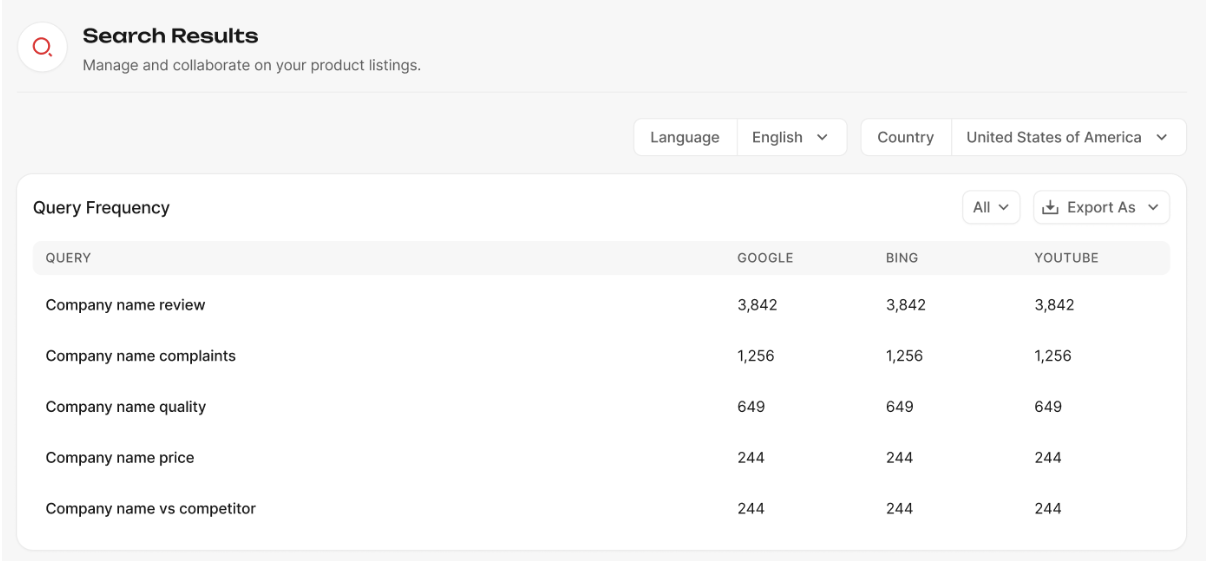
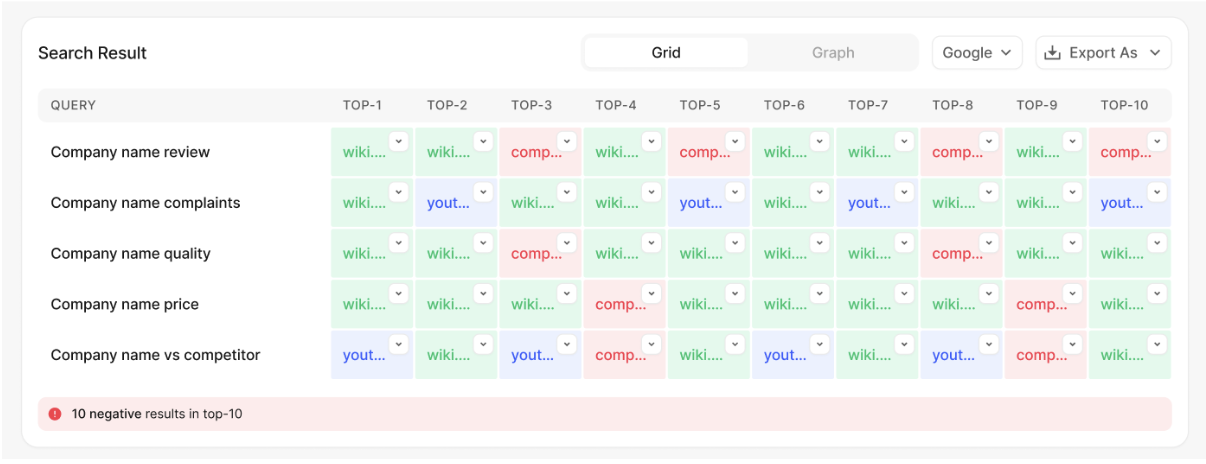
The Search Results section shows how your brand appears in search engines — one of the most critical points of perception. You can see the first page of search results for your brand-related queries, including the tone of each link. This helps you understand what users see when they search for you.
Risk Control Center also allows you to:
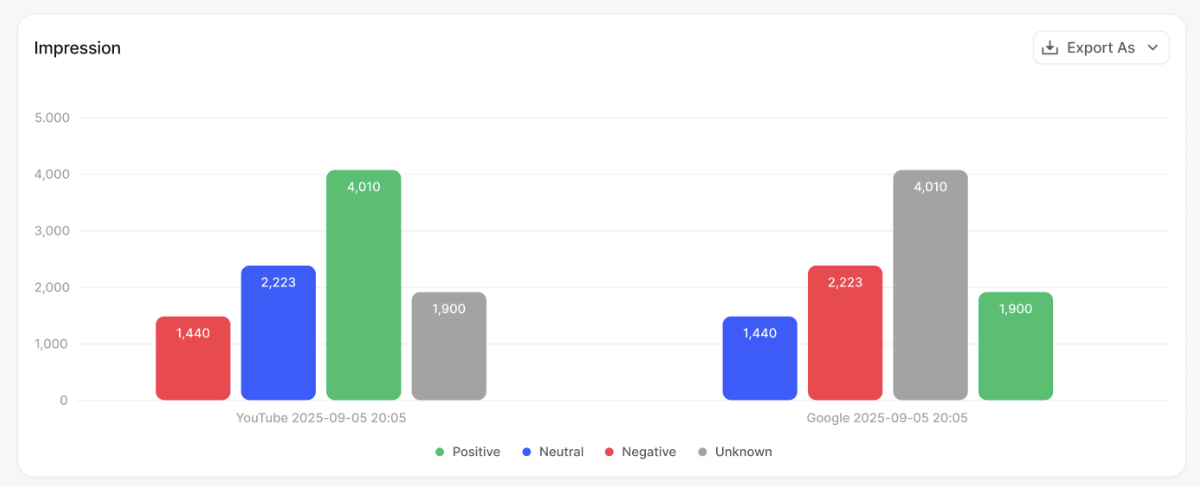
In addition, you can evaluate impressions, which show how many users may potentially see a specific result. This helps prioritize risks based not only on tone but also on visibility.
Another important feature is search suggestions tracking. The platform monitors autocomplete suggestions and their sentiment, allowing you to quickly identify and respond to negative or misleading queries.
- Track specific search queries
- Monitor multiple search engines (Google, Bing, YouTube, Yandex)
- Analyze results across different languages and countries
In addition, you can evaluate impressions, which show how many users may potentially see a specific result. This helps prioritize risks based not only on tone but also on visibility.
Another important feature is search suggestions tracking. The platform monitors autocomplete suggestions and their sentiment, allowing you to quickly identify and respond to negative or misleading queries.
Step 5: Analyze Reviews and Ratings
The Reviews Platforms tool provides a consolidated view of your ratings across external platforms. You can see:
- Platform-specific ratings
- Number of reviews
- Direct links to each platform
- Average rating across all sources

You can also customize the list of platforms to focus only on those relevant to your business.
This helps you understand how your brand is evaluated by users and where improvements are needed.
This helps you understand how your brand is evaluated by users and where improvements are needed.
Step 6: Turn Insights into Actions
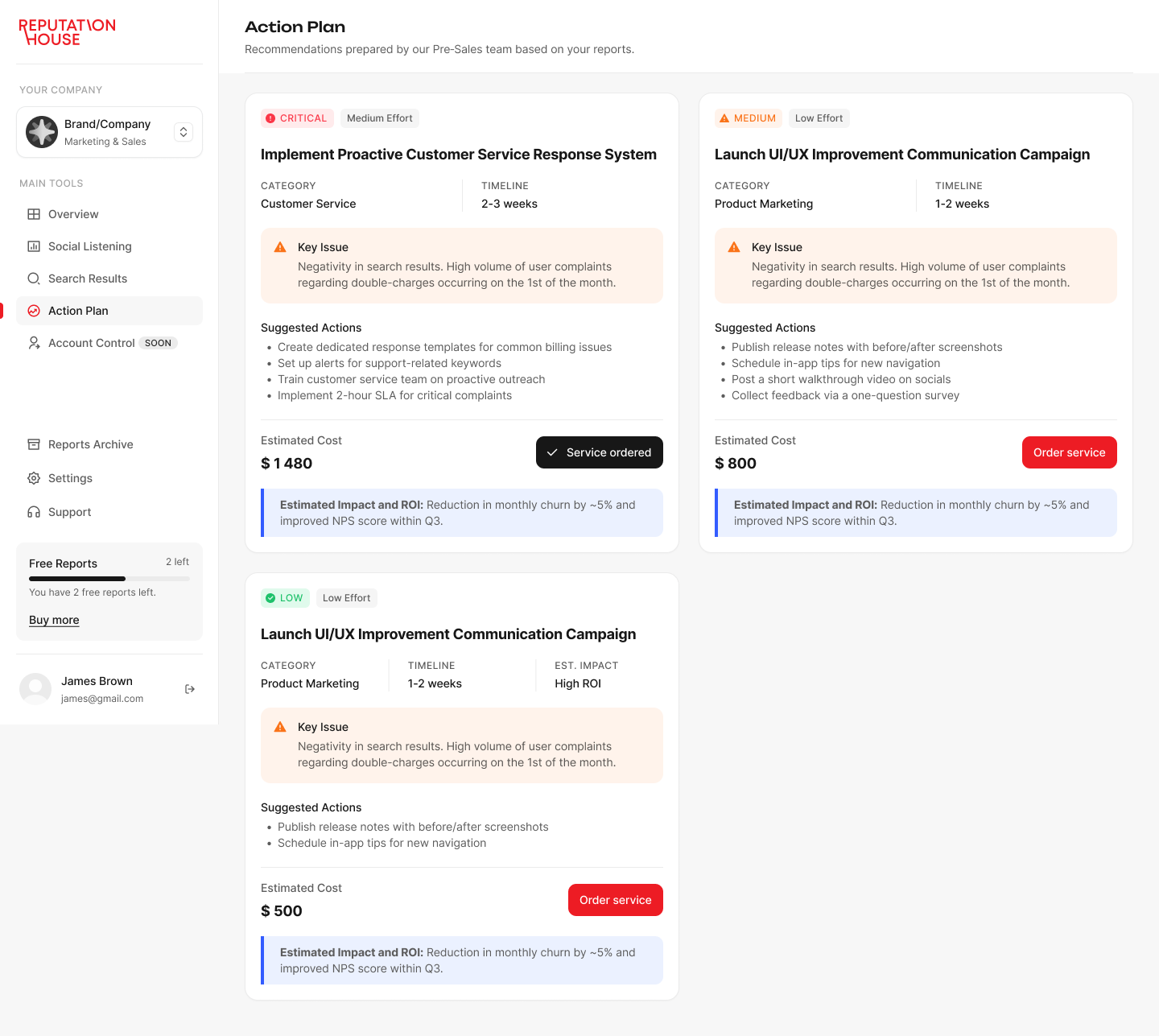
The Action Plan section is where analysis becomes execution. Here, you receive structured recommendations based on identified risks. You can align next steps with your team and track implemented actions. This ensures that insights are not lost and that every identified issue leads to a clear response.
Step 7: Generate and Track Reports
Finally, the Reports Archive allows you to generate and store reports based on your analytics.
Reports are available in PDF format and can be used for internal tracking, stakeholder communication, or compliance purposes. All reports are stored in one place, allowing you to compare results over time and track changes in your digital environment.
Reports are available in PDF format and can be used for internal tracking, stakeholder communication, or compliance purposes. All reports are stored in one place, allowing you to compare results over time and track changes in your digital environment.
Risk Control Center helps you move beyond simple monitoring. It gives you real control over your digital presence. Instead of reacting to isolated signals, you can see the full picture. You understand how your brand is perceived across search, social media, and external platforms. This allows you to act early, before issues start affecting your business.
Learn more about Risk Control Center.
Learn more about Risk Control Center.
Ready to take control of your digital risk?
Book a demo of Risk Control Center and see how your digital environment really works – and where the risks are hiding.
We will walk you through the system, map it to your business tasks, and show how to move from monitoring to real control.
Click the button below or reach out at contact@reputation.house
BOOK DEMO